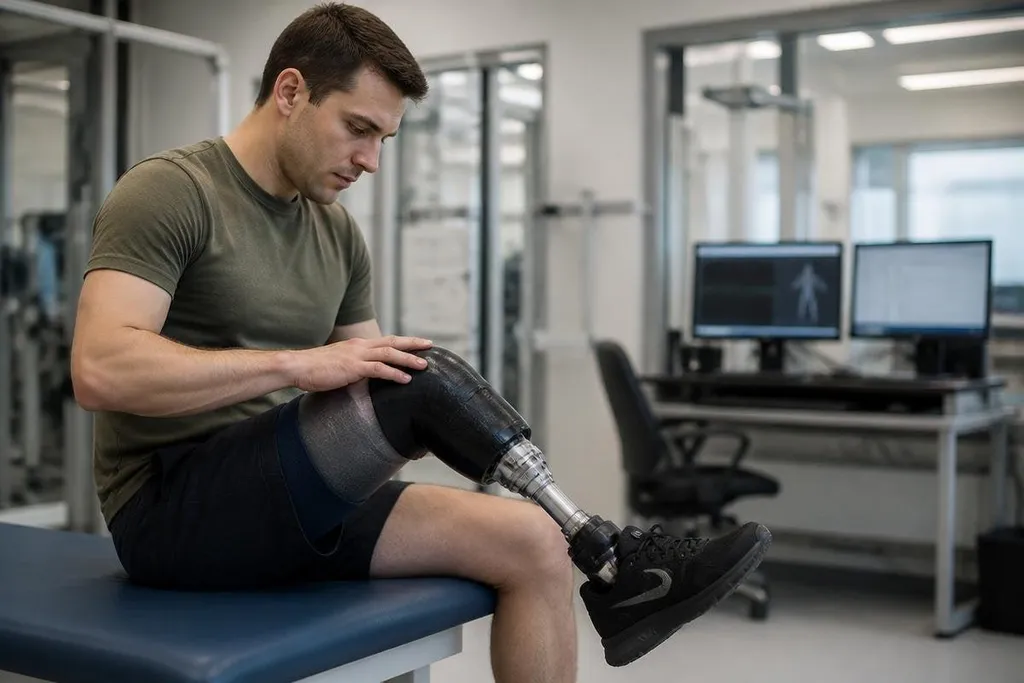
A modern prosthetic limb can use muscle signals, pressure sensors, and motion data to adjust how it moves. That shift matters because the person wearing it can guide the limb with less manual control.
- Muscle signals can help choose a movement
- Pressure sensors can detect contact with an object
- Microprocessors can change joint resistance during motion
The sensors behind the movement
Older prosthetic limbs often relied on fixed settings or body movement that the wearer had to control directly. Smart prosthetics add sensors that measure what the body is trying to do and what the limb is doing in response.
Electromyography, or EMG, is one common method. Electrodes placed against the skin detect small electrical signals from nearby muscles. Software then links those signals to actions such as opening a hand, closing a hand, or changing the position of a joint.
The signal is rarely perfect. Sweat, electrode placement, muscle fatigue, and changes in the socket can alter what the sensors detect. That means the control system has to filter noise and keep working when the signal changes during the day.
Motion sensors add another layer. An inertial measurement unit, often called an IMU, can measure movement and rotation. A pressure sensor in a prosthetic foot can detect when the foot touches the ground, which helps the system adjust support during walking.
Software changes how the limb reacts
The hardware collects signals, but software decides what they mean. A control system can compare muscle activity with joint position and pressure data before sending commands to a motor or brake.
This makes movement more responsive. A powered knee may change its resistance as the user sits, walks, or climbs. A prosthetic hand may use contact data to reduce motor force after the fingers touch an object, lowering the chance of crushing it.
Some systems use pattern recognition. The software learns that a certain group of muscle signals usually matches a chosen movement.
The wearer still needs training, and the system still needs setup, but the control method can feel closer to an extension of the body than a tool that must be operated step by step.
That control has a practical limit. A system can recognize a pattern without fully understanding the person’s goal. An accidental signal may trigger the wrong action, while a weak signal may produce no action at all. Good control therefore depends on calibration, socket fit, battery power, and the user’s ability to repeat the signal.
Why the socket still matters
The socket is the part that connects the prosthesis to the body. It remains one of the hardest parts to get right because the limb changes shape during movement, and pressure can build at sensitive areas.
Sensors cannot fix a poor fit. If the socket shifts, the electrodes may move away from the muscles they need to read. The wearer may then see slower control, false commands, or discomfort that limits how long the prosthesis can stay on.
This is where smart control meets ordinary clinical work. A prosthetist still has to shape the socket, position the electrodes, set the joints, and teach the wearer how to use the system. The software adds options, but it does not remove that work.
Claims about sensors and control software need a named device and trial behind them. Smart prosthetics reports from Robot24.com give you the prosthetic model, test setting, and date, so you can judge what holds up beyond the clinic.
What remains unproven
Smart prosthetics can react to more body data than a passive limb, but added electronics bring new limits. Motors need charging. Sensors can lose accuracy. Software may need updates, and repairs can cost more when several parts depend on one control system.
The amount of feedback also matters. Some research systems try to send touch or pressure signals back to the user through electrical stimulation or vibration. That can give the wearer more information about contact, but the quality of the sensation depends on the method, the person’s nerves, and the fit of the hardware.
I’d judge the progress by control during ordinary tasks, not by a lab demonstration. Picking up a cup, walking over uneven ground, and wearing the limb for several hours tell you more than a single clean movement.
A practical check before choosing one
Use this checklist when comparing a smart prosthesis with a simpler option:
- Name the task: write down the movements that matter most at home, work, or outdoors.
- Check the control method: ask how the limb reads muscle activity and what happens when the signal is weak.
- Test the socket: wear it long enough to find pressure, slipping, or skin problems.
- Ask about power: check battery life, charging time, and what the limb can do after the battery runs down.
- Price the upkeep: include software service, sensor replacement, repairs, and clinical visits.
- Ask about feedback: find out what contact information reaches the user and how much training it takes.
The next useful step is better evidence from daily use: how often controls fail, how long sensors keep their accuracy, and how much care the system needs after months of wear. Until those records are common, smart prosthetics deserve a careful trial rather than an automatic upgrade.